Skip to content
Workstation

Your markets,
on the quarter clock.

The QTheory workstation brings the chart, the quarter clock, True Opens and correlated divergence into one place. Here is what's inside.

Available now

$1,400 one-time for lifetime access, or 2 payments: $750 upfront + $750 later. View the product →

The workstation: a TradingView chart of EURUSD beside the New York quarter clock, active chain and True Opens panel.
Markets13+Forex, metals, crypto, Nasdaq 100, S&P 500, Dow and Russell 2000; add any pair you trade
ClockNew YorkEvery quarter anchored to it
ChartsTradingViewOfficial charts built in
PricesReal-timeEvery built-in market, no delay
Inside the workstation

Every view, one framework

Screenshots from the current build, captured from a test account. On the H/L Forecast views the forecast details are blurred.

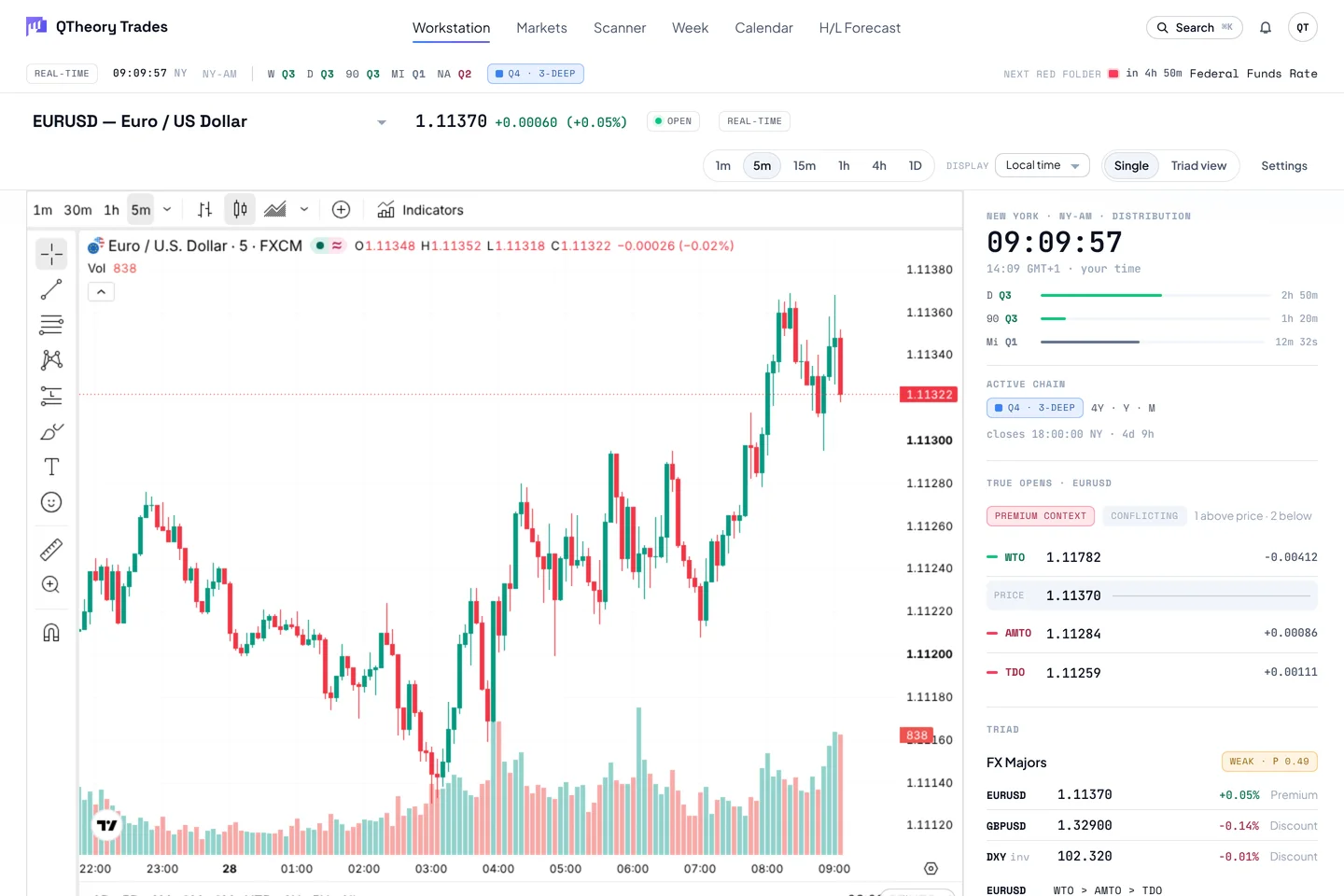
The workstation: a TradingView chart of EURUSD beside the New York quarter clock, active chain and True Opens panel.
Workstation

The chart and the clock, side by side

Official TradingView charts sit next to the quarter clock: the active New York session, the Daily, 90-minute and Micro quarters counting down, any active chain and the True Opens that price is trading against.

  • Live quarter clock on the New York calendar
  • True Opens with discount and premium context
  • Single-market and triad views
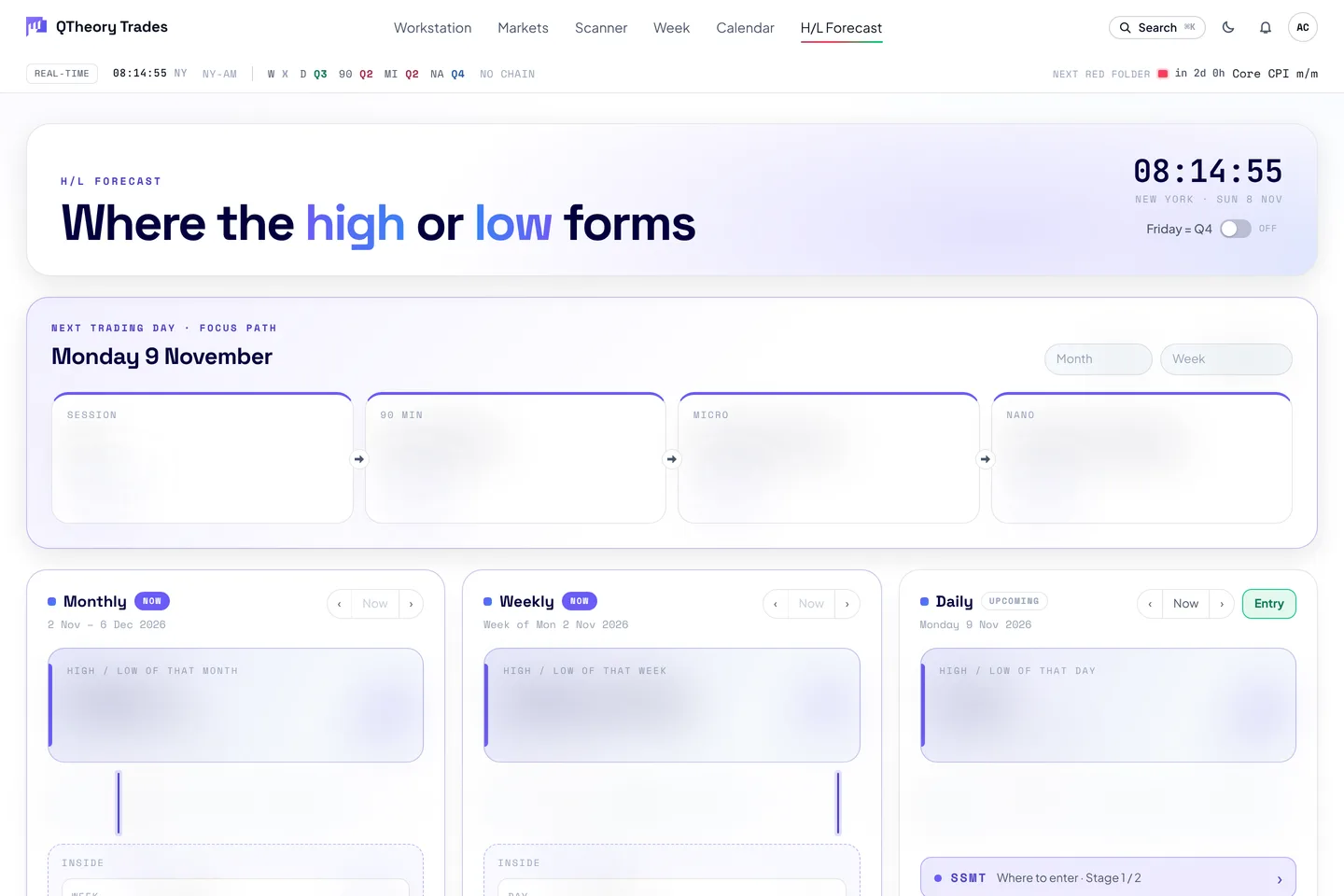
The H/L Forecast page: the focus path from the session down to the Nano, and the Monthly, Weekly and Daily cards, with every forecast blurred.
H/L Forecast

Where the high or low is expected

For every cycle from Monthly down to Nano, the H/L Forecast names the window where the high or low is expected. The focus path follows the day's answer all the way down: the session, then its 90 minutes, Micro and Nano. Each card also shows what sits inside its answer and where to look for the entry.

  • Monthly, Weekly, Daily, 90-minute, Micro and Nano forecasts
  • Focus path: session → 90 min → Micro → Nano
  • Where to enter: Stage 1 and Stage 2 SSMT
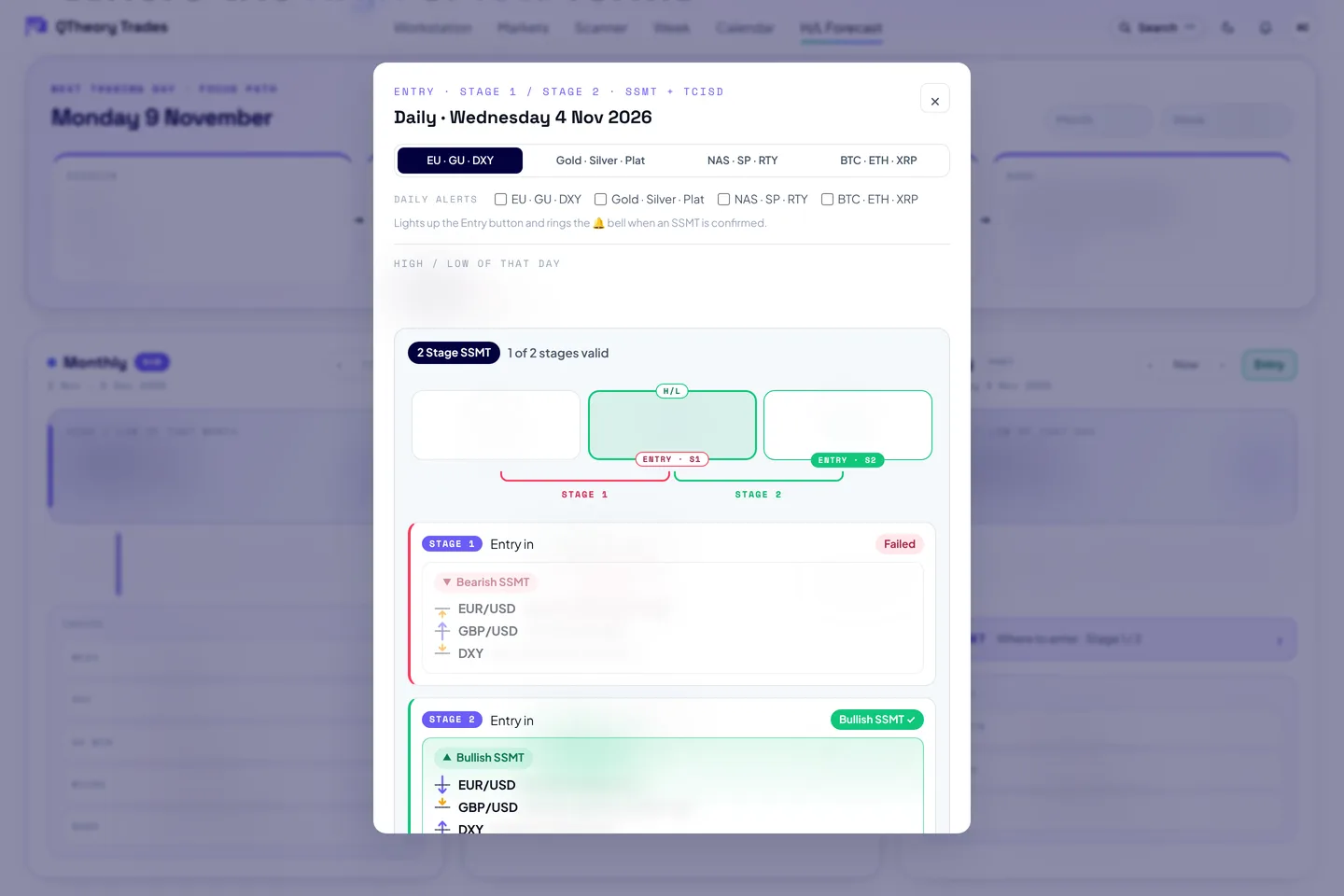
The Entry check for a Daily forecast: a 2 Stage SSMT with one of two stages valid, a failed Stage 1 and a bullish Stage 2 SSMT across EUR/USD, GBP/USD and DXY, with the windows blurred.
Entry

The SSMT and its tCISD, checked for you

Pick a market group and the Entry check shows whether the SSMT has formed between the forecast window and its partner, whether a tCISD confirmed it, and whether a 2 Stage SSMT is building. Failed SSMTs are marked, and the Entry button lights up when one of your groups confirms.

  • FX, metals, US indices and crypto groups
  • SSMT, tCISD, qCISD and itCISD
  • 2 Stage SSMT and alerts on the Entry button
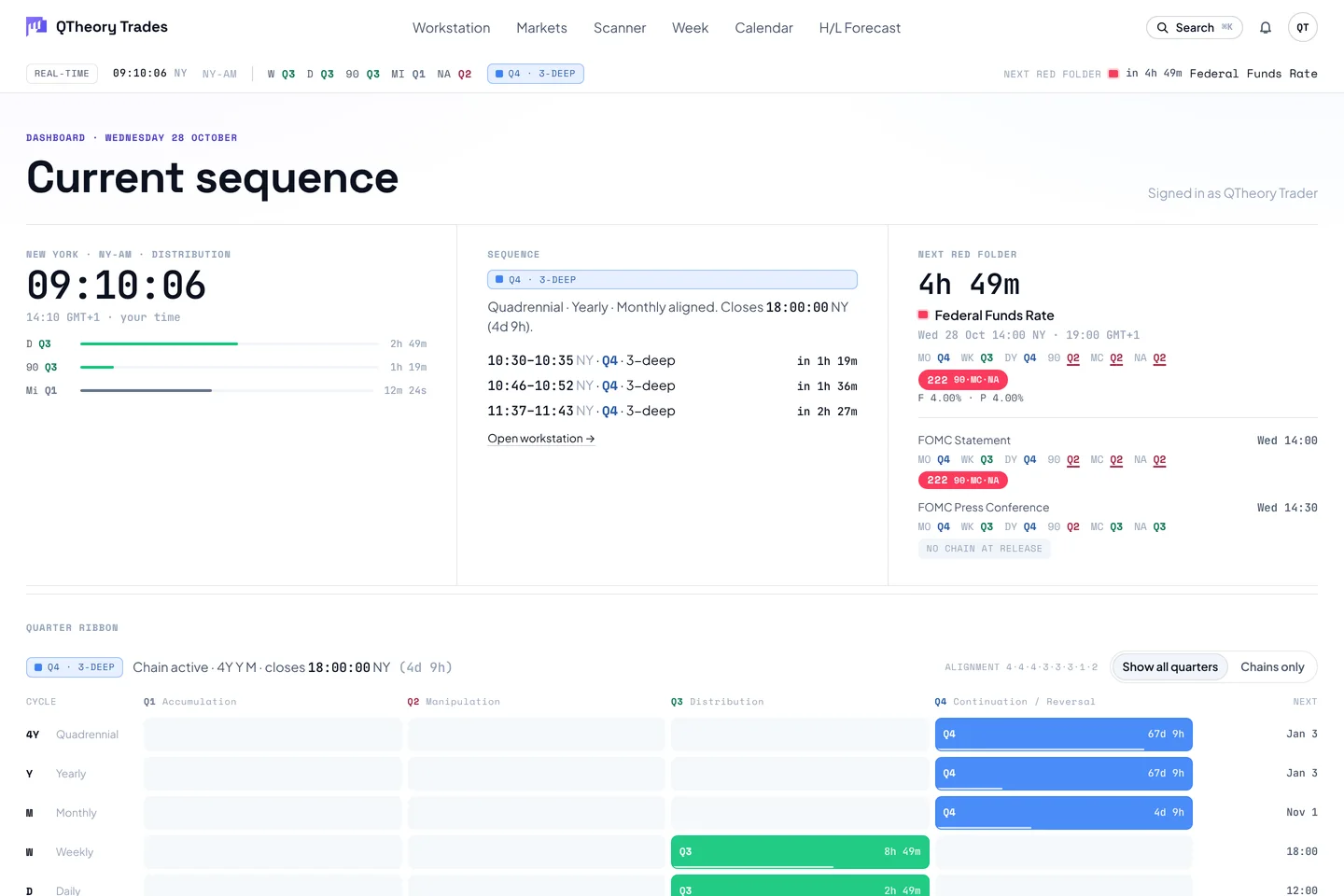
The dashboard showing the current sequence, upcoming chain windows, the next red folder and the quarter ribbon.
Dashboard

The current sequence at a glance

A live New York clock, the nested quarters, the next chain windows and the next red folder, with a quarter ribbon that runs from the largest cycle down to the smallest.

  • Quarter ribbon from the multi-year cycle to the nano cycle
  • Chain windows and how deep each one is
  • Countdown to the next red folder
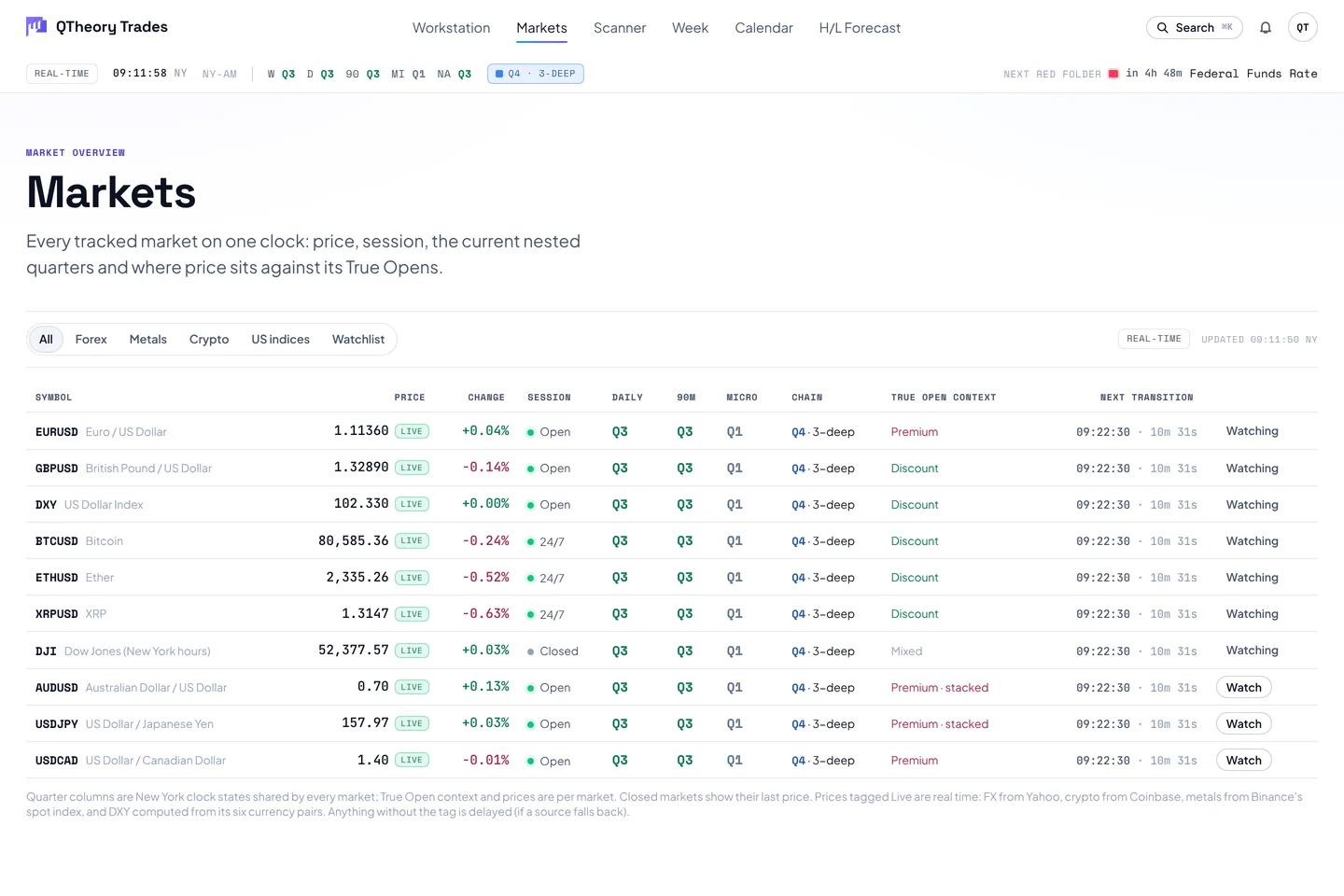
The markets overview table with live prices, session, quarter states, True Open context and next transition for forex, crypto, the Dow and added pairs.
Markets

Every tracked market on one clock

Price, change, session, the current nested quarters and where price sits against its True Opens, for each market in one table.

  • Forex, metals, crypto and US indices in four triads
  • Real-time tags where a live source is connected
  • Next quarter transition for every market
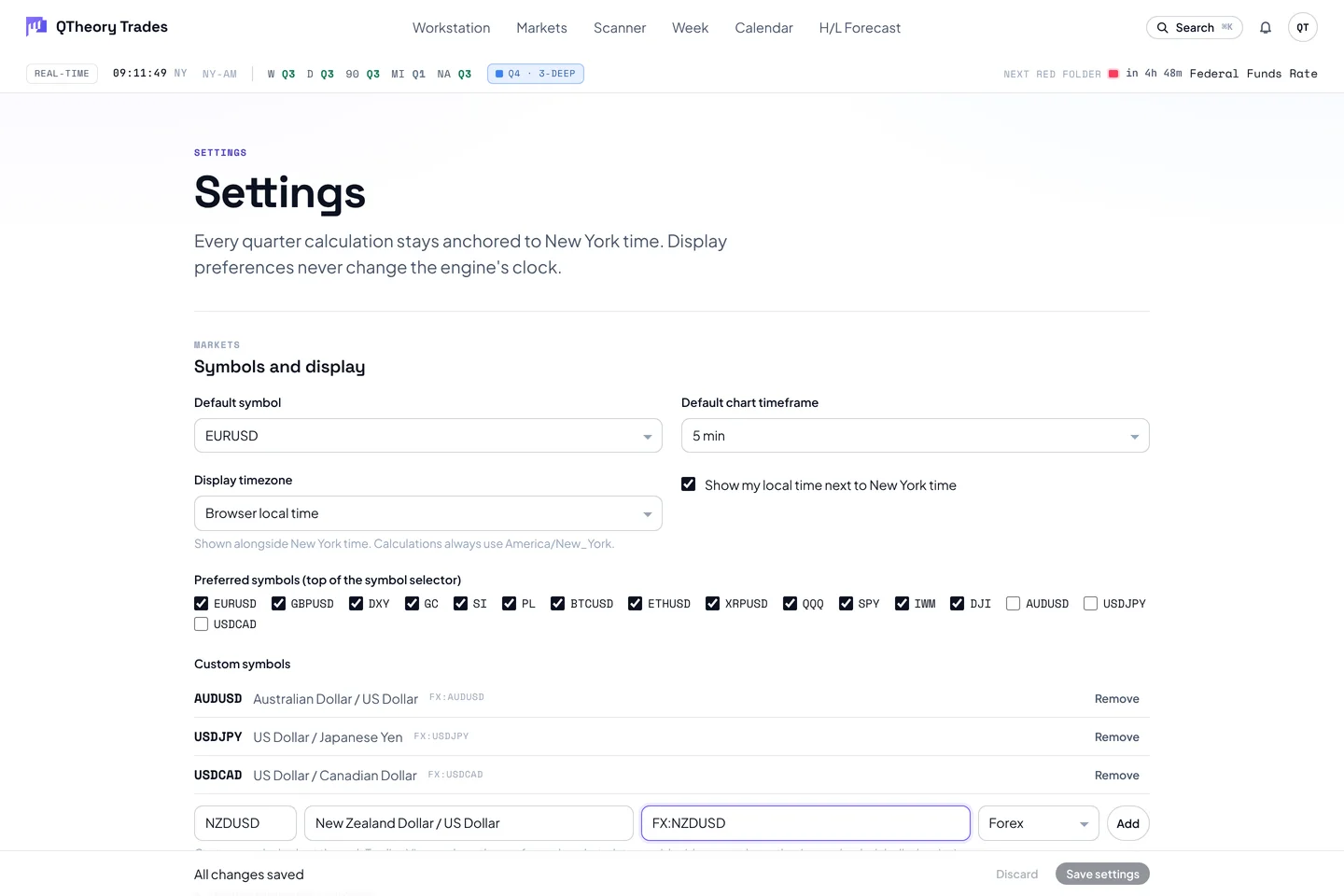
Workstation settings with AUDUSD, USDJPY and USDCAD added as custom markets and NZDUSD being added with its TradingView chart symbol.
Your markets

Add any pair you trade

The thirteen built-in markets are only the start. Add any pair or market in Settings: a symbol, a name and its TradingView chart. It then appears across the workstation on the same quarter clock, with its own True Opens.

  • Forex, indices, crypto, commodities and more
  • Shows in Markets, the charts, the scanner and alerts
  • Your list is private to your account
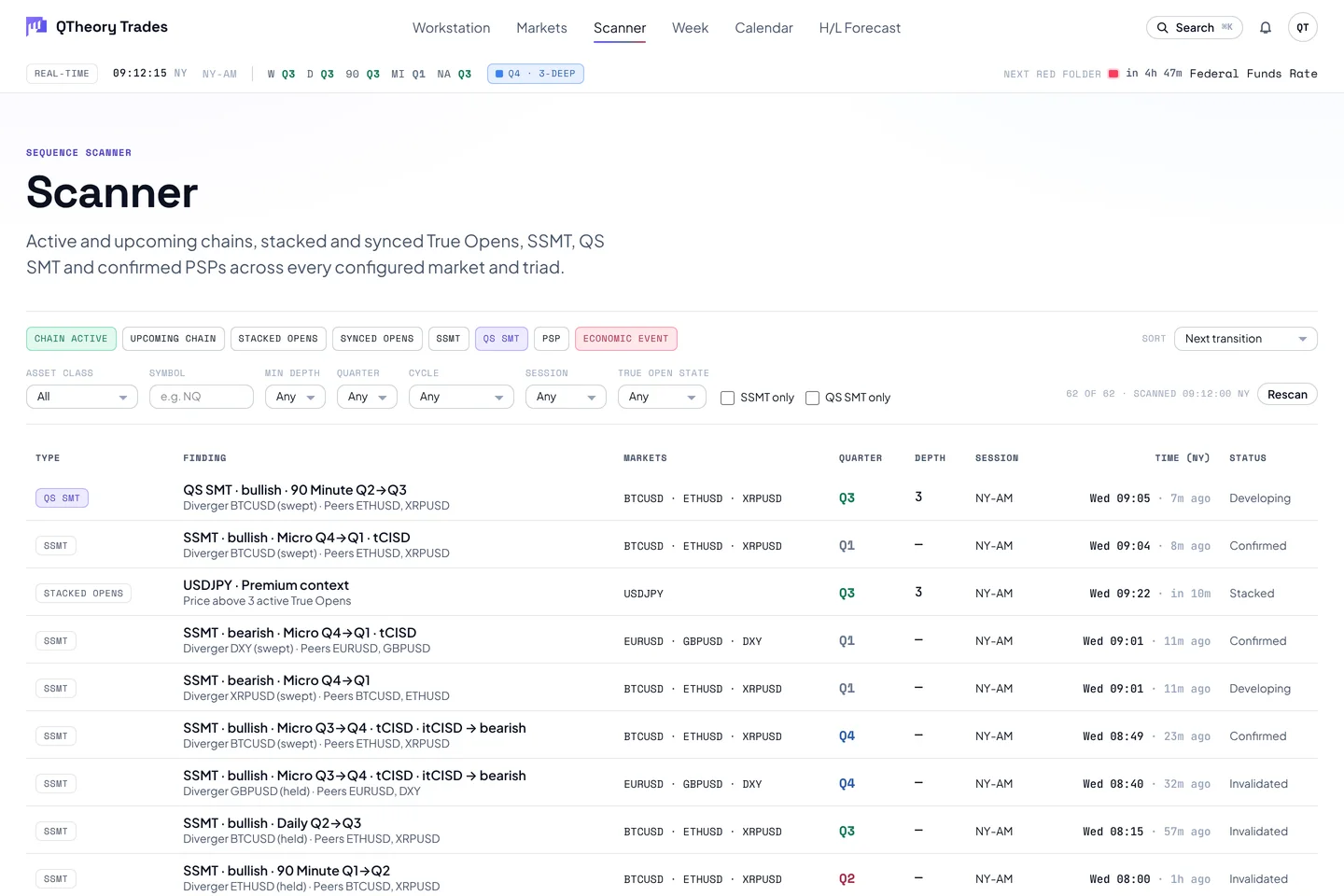
The sequence scanner listing stacked True Opens, SSMT and PSP findings with filters.
Scanner

Chains and divergence, found for you

Active and upcoming chains, stacked and synced True Opens, SSMT, QS SMT and confirmed PSPs across every configured market and triad.

  • Filter by asset class, depth, quarter, cycle and session
  • Divergence findings listed with their peer markets
  • Rescan on demand
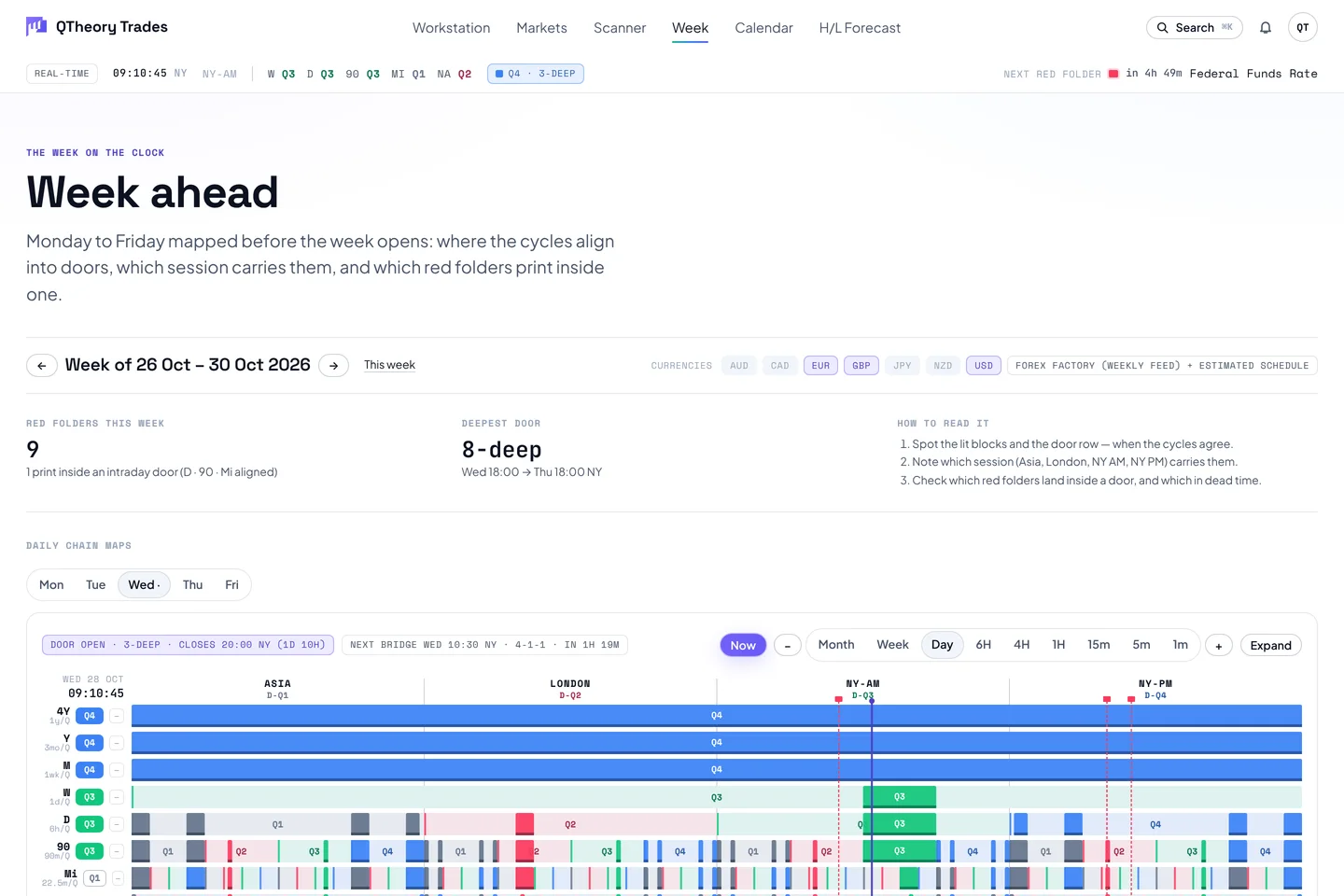
The week-ahead planner with daily chain maps across the Asia, London and New York sessions.
Week ahead

The week mapped before it opens

Monday to Friday laid out ahead of time: where the cycles align into doors, which session carries them and which red folders print inside one.

  • Daily chain maps across every session
  • The deepest door of the week
  • Currency filters for the releases that matter to you
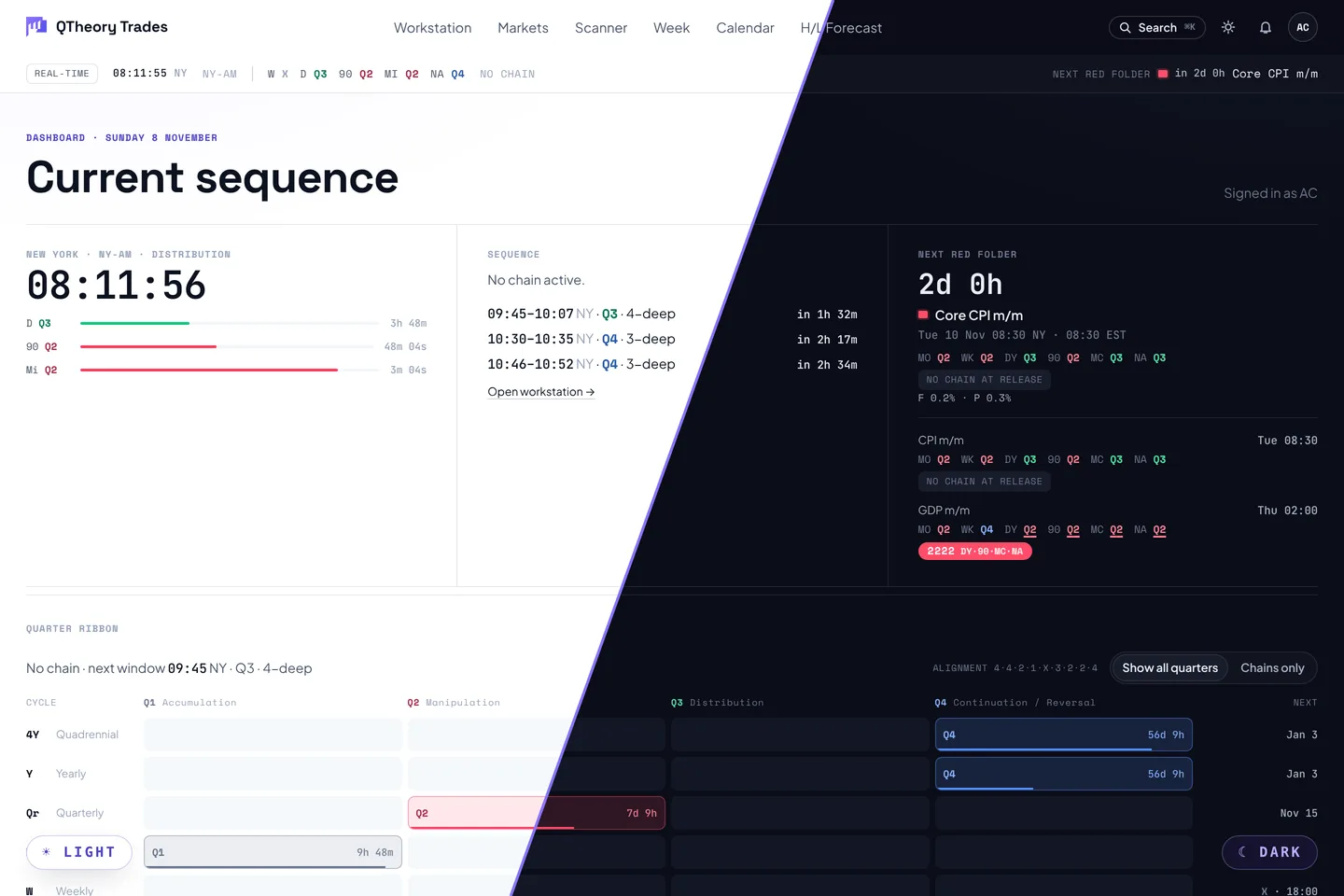
The dashboard split in two: the light theme on the left and the dark theme on the right.
Light & dark

Light by day, dark by night

Switch between the light and the dark theme from the top bar. Every page, chart panel and the quarter colours are tuned for both, and your choice is remembered on that device.

  • One-click switch in the top bar
  • Every page and panel in both themes
  • Remembered on each device
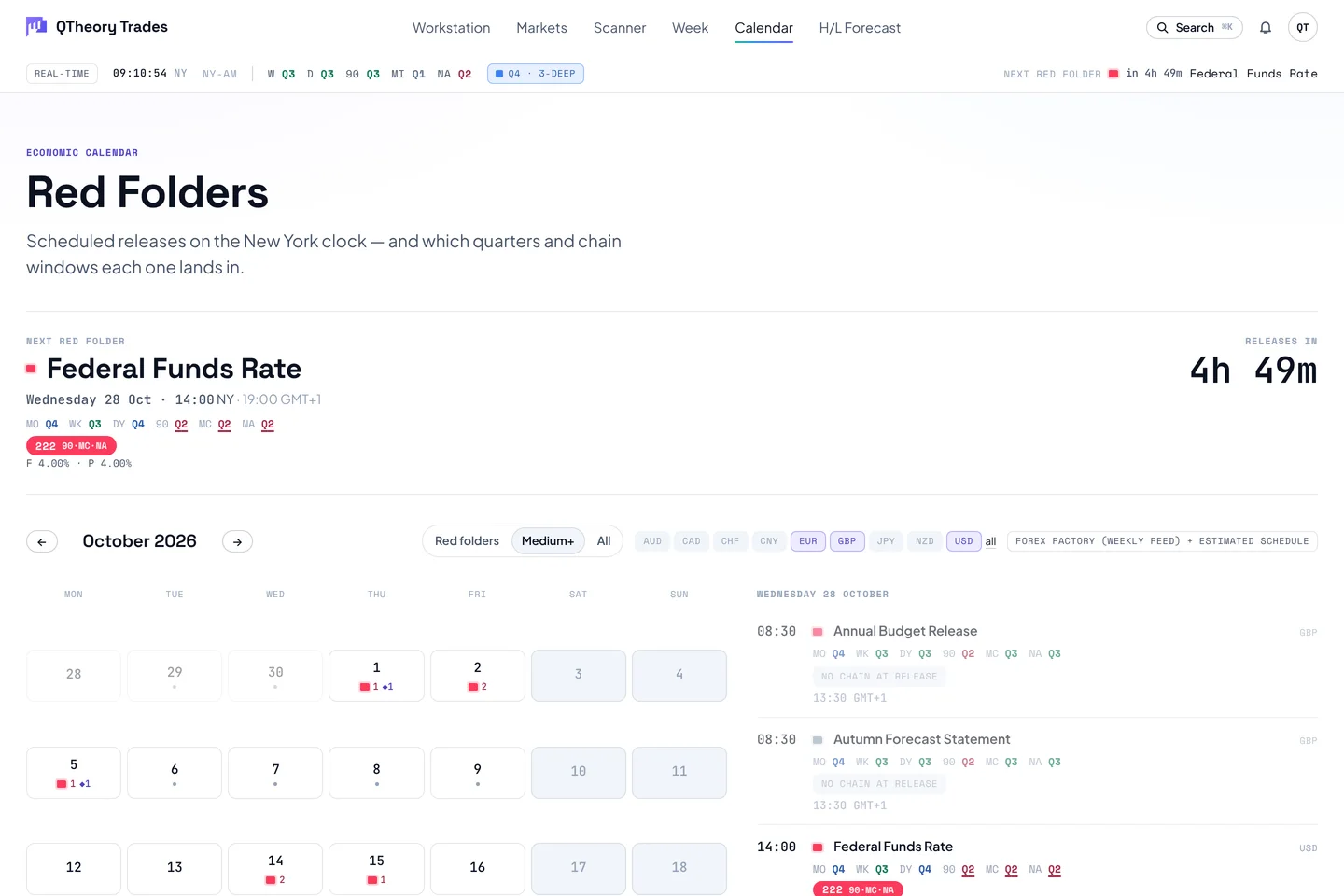
The economic calendar of red folders with the quarter and chain windows each release lands in.
Calendar

Red folders, placed on the quarter clock

Scheduled releases on the New York clock, and the quarters and chain windows each one lands in.

  • Monthly calendar with an impact filter
  • Weekly feed from Forex Factory
  • See which releases fall inside a door
Available now

Get the QTT Workstation

$1,400 one-time for lifetime access, or 2 payments: $750 upfront + $750 later. Message @qtheorytrades on Telegram to buy, and we will set up your account.

Already have an account? Access the Workstation →

Research software. Framework labels are context, not predictions. Trading involves risk. Educational content provided by QTheory Trades is not financial advice.